About OptimaClip
OptimaClip is the AI clipping agent that turns your long-form video into short, captioned clips — then schedules them to 8 platforms automatically.
YouTube · Twitch · Kick
links in, or upload any file
0–100
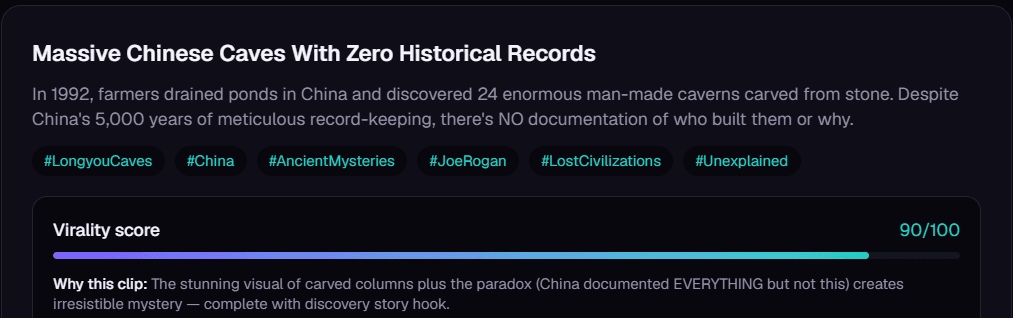
virality score on every clip, with the reason
8
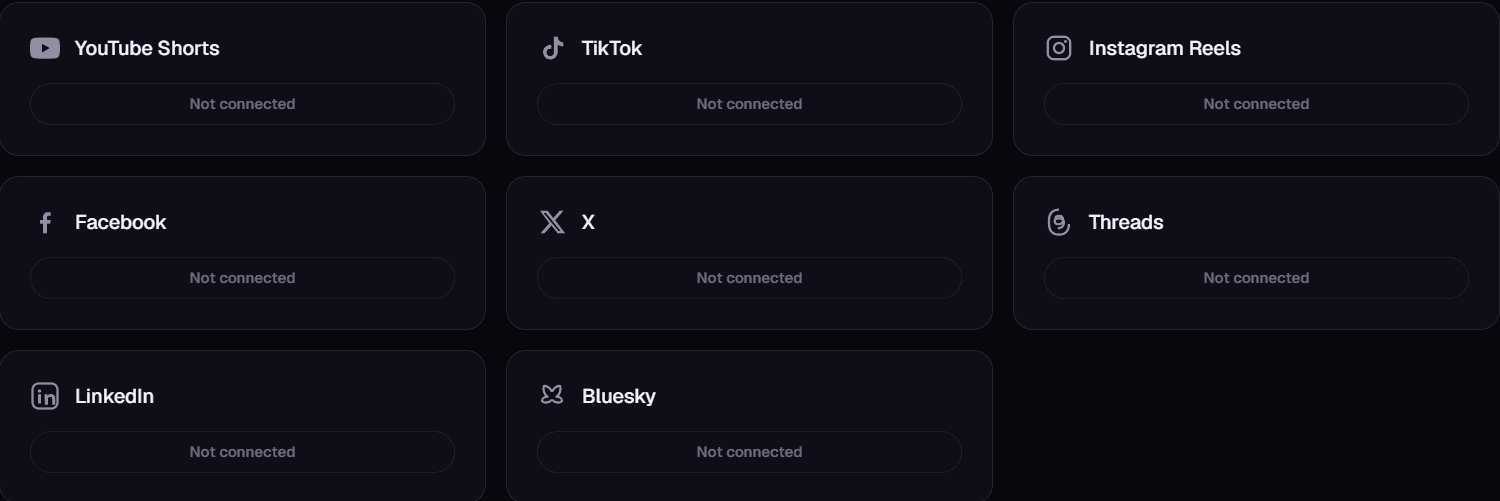
platforms to publish to, from one queue
21
languages transcribed and captioned
Why it clicks
- Paste a link before bed. Wake up to a week of clips.
- It tells you why it picked every clip.
- One long video in. A week of posts out.
- Captions, reframe and scheduling in one place.
- The 96 goes up first. The 71 can wait.
- No CapCut round-trip. No second app.
- Stop scrubbing footage on your weekends.
- It finds the moment you forgot was there.
- Eight platforms, one queue.
- Built for podcasts, streams, lessons and webinars.
What creators tell us
“The AI finds the hooks, adds captions in my brand style, and queues everything.”
“My shorts output went up without needing an editor on every stream.”
“Finally made repurposing retainers profitable.”
“We went from posting clips that barely got seen to having a repeatable way to test stronger hooks.”
“Now OptimaClip handles it all under one login and price.”
“We can keep all of a client's clips, calendars, and brand presets in one place.”
Why we built it
Turning long-form video into clips that are actually worth posting takes real editing judgment, not just a silence-detector — and most creators either can't afford a human clip team or don't want to spend hours doing it themselves. OptimaClip is our attempt at closing that gap with an agent that reasons about what's actually worth clipping, not just what's loud.

Who's behind it
We're a team of young software enthusiasts with years of experience across the tech industry. We're always finding new ways to push the software forward, and we build in the open about what's working and what isn't.

Luke Jarocki
Founder, OptimaClip
Before OptimaClip, Luke spent years building and running companies far outside of software — from home services businesses to ecommerce brands — learning firsthand what it takes to actually operate something, not just design it on a whiteboard. That hands-on grind is what eventually pulled him into SaaS and AI: he kept seeing the same pattern everywhere he looked, businesses drowning in manual work that software could quietly take off their plate. So he made the leap, and since then he's gone on to found multiple companies in the space.
Video editing became a particular obsession. Luke has always loved the craft of it — the pacing, the cuts, the instinct for what makes a moment worth watching — and OptimaClip is the product of trying to teach that instinct to software instead of hiring a room full of editors for every creator who needs one. It's a problem he's genuinely excited to keep chipping away at.
At his core, Luke is a builder who loves SaaS: the speed of shipping something new, watching it find real users, and iterating until it's actually good. He's always looking for the next way to bring a quality product to market, and OptimaClip is where that search currently lives.
One agent, from upload to published clip
Every screen below comes straight from your dashboard: the same AI agent that scans your footage for the moments worth cutting, explains its reasoning, and pushes the finished clips out to every platform your audience is already on.
8
platforms published to directly
21
languages transcribed & captioned
How we operate and support you
- Transparent, honest limits.If something can't be done reliably yet, we say so in the product instead of shipping a feature that quietly fails.
- Backed by a guarantee. A 14-day money-back guarantee covers first-time subscribers on a monthly plan — see refund terms for eligibility.
- Real people answer support. Questions, bugs, or feature requests sent through Contact & Support get a follow-up by email, from the team, not a ticket queue.
I built OptimaClip because finding the one moment worth posting in a two-hour video was eating my weekends. Now the AI finds it, tells you why it picked it, captions it and queues it everywhere. Paste your next long video and see how much of your week you get back.
“I used to bounce between three different tools for clipping, captioning, and scheduling.”
OptimaClip in use
Wherever creators record, OptimaClip does the clipping
Streams, podcasts, lessons and phone shoots: one long video goes in, scored and captioned clips come out.
 Streamers
 Creators
 Podcasters
 Creators
 Gamers
 Podcasters
 Creators
 Streamers
 Educators
 Podcasters
 Streamers
 Creators
How people use it
From long video to posted clips, step by step
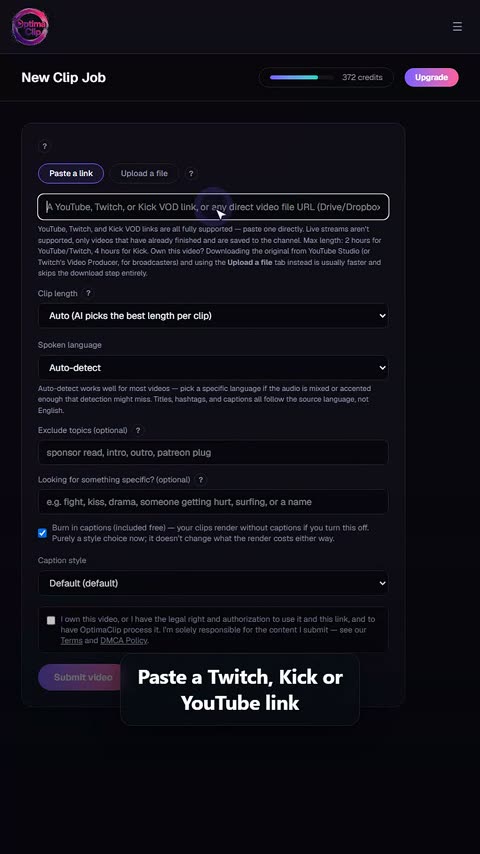
Real screen recordings from the OptimaClip dashboard. This is the whole workflow: nothing sped up, nothing mocked up.
 1
Paste a link or upload
Drop in a YouTube, Twitch or Kick link, or upload a file straight from your computer.
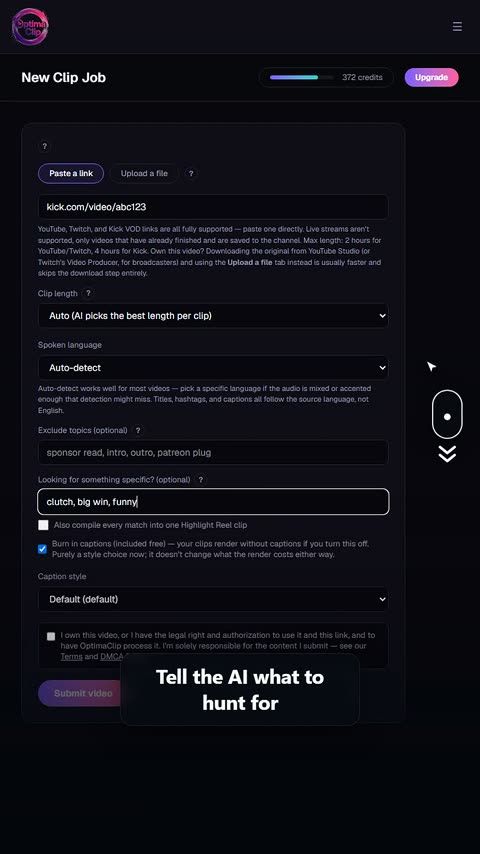 2
Tell the AI what to look for
Optional: name a topic, a guest, a game moment, or what to leave out.
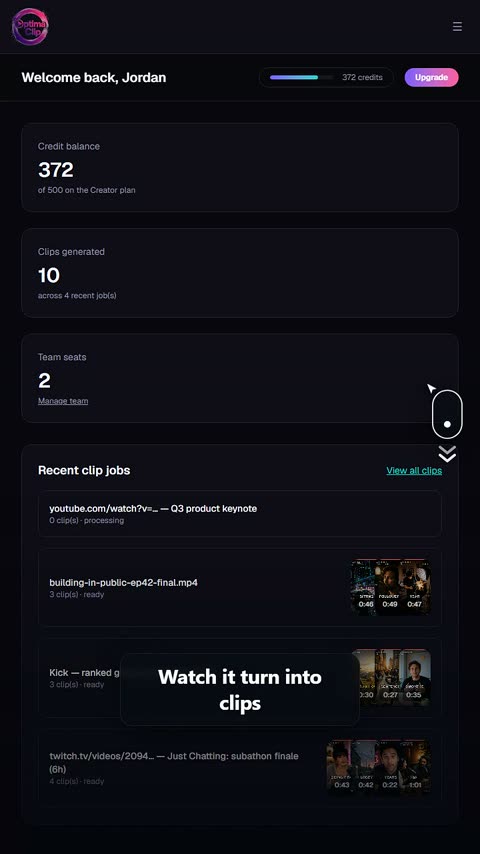 3
Watch it work
The job transcribes, scans and cuts while you do something else.
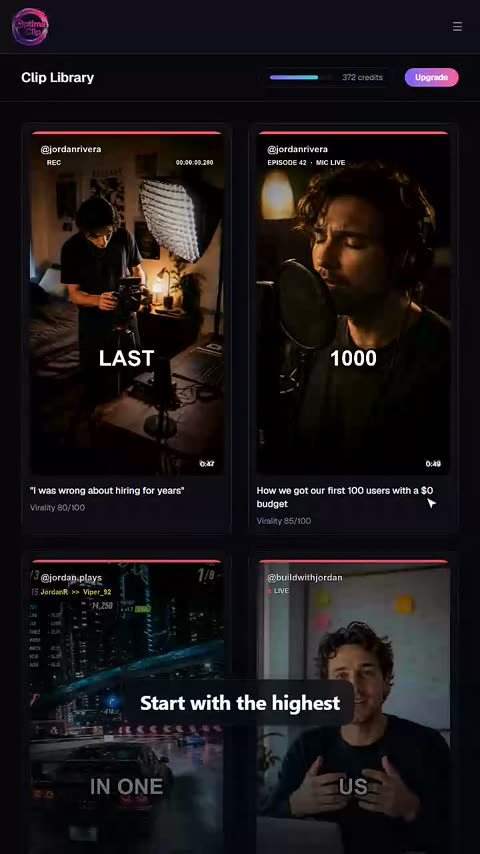 4
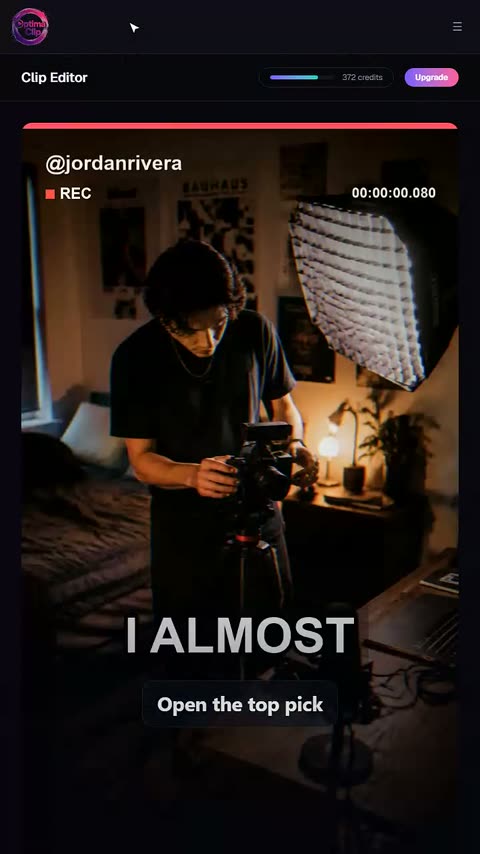
Open the highest-scored clip
Every clip comes back with a 0–100 virality score, so you start with the strongest.
 5
Read why the AI picked it
A plain-English reason on every clip: the hook, the payoff, why it should land.
 6
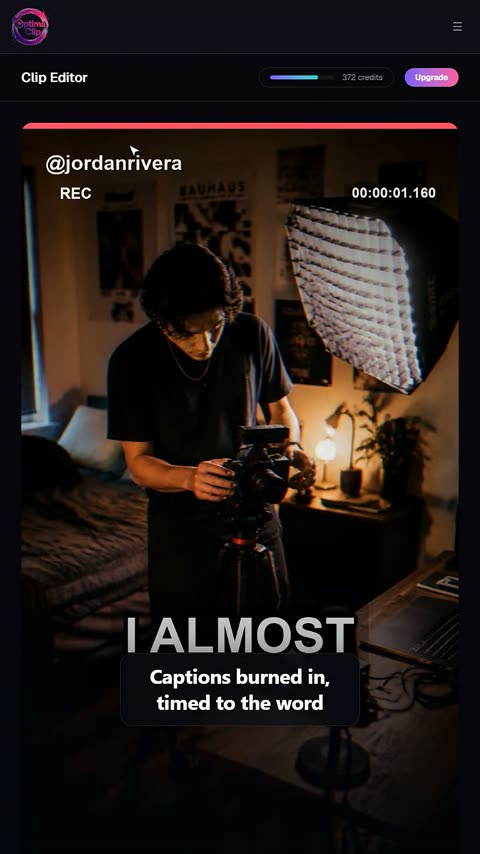
Tweak the captions
Word-by-word captions you can edit, restyle or switch off.
 7
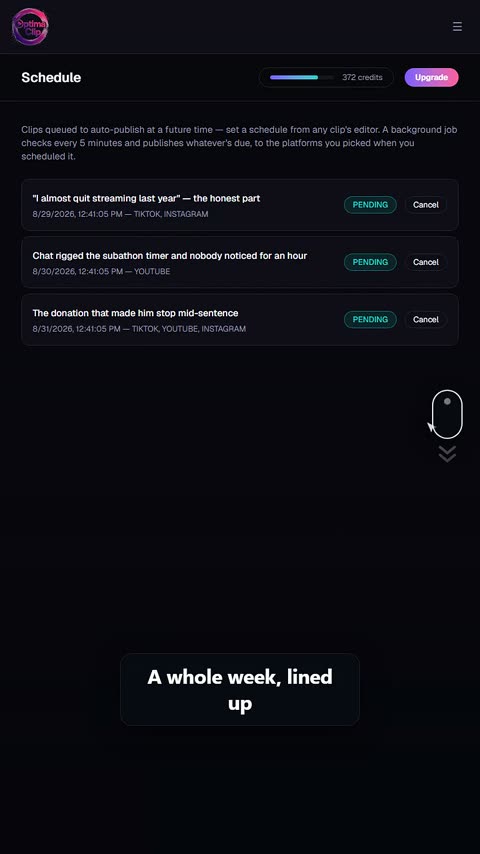
Schedule the whole week
Queue clips across days and platforms in one pass.
 8
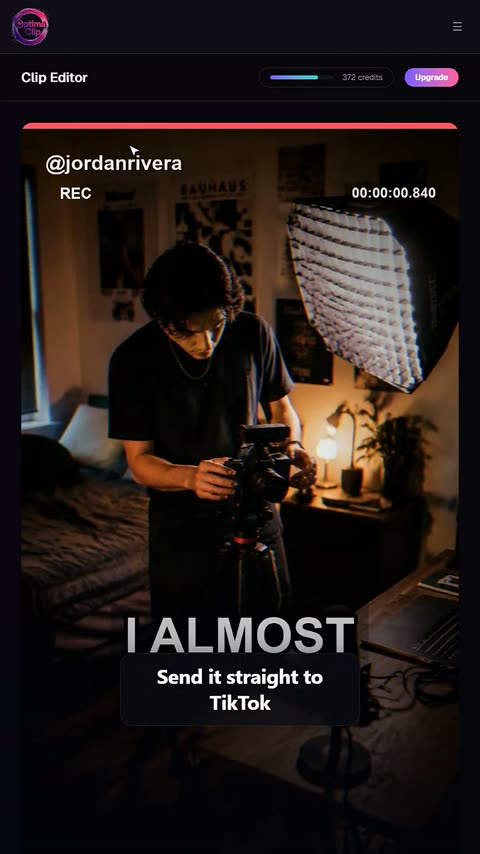
Publish everywhere at once
Send a clip to TikTok, YouTube Shorts, Instagram and more from one screen.
Watch OptimaClip work
16 ways creators put OptimaClip to work
Our 30-second spots, each one built around real screens from the dashboard. Tap any of them to play with sound.
“OptimaClip turned my weekly podcast into a full month of short clips with almost no effort.”
OptimaClip on the web
Independent directories and review sites that list OptimaClip (Optima Clip):
See for yourself
The whole price list
1 credit = 1 minute of video.
Every clip and export is free.
A 10-minute video costs 10 credits — whether the AI finds 3 clips or 15, and however many formats you export. No per-clip fees, no caption fees, no surprise charges. Start with a free 3-day trial: 30 credits, no card needed.
✓ Unlimited AI clips
Every moment the AI finds — free
✓ Every export, free
9:16, 1:1, 16:9, 4:5 — first render of each
✓ Captions included
Animated, 21 languages + auto-detect, brand-styled
✓ Virality score + reasoning
Know why each clip should work
Everything the big tools have — for a fraction of the cost
Clipping, captions, reframing, scheduling and an editor, plus a few things you can't get at OpusClip's price.
AI clip finder with a virality score
Every clip gets a 0–100 score and a one-sentence reason it should work — no black-box guessing.
Animated captions in 21 languages
Brand-styled, single-word pop or classic, custom colors, fonts and positions. Included free on every export.
Curse-word censor
One toggle masks profanity in captions and silences it in the audio — brand-safe clips without an editor.
Find any moment by describing it
Type “the funniest fail” or “every mention of pricing” — search reads the transcript and watches the frames, even in silent video.
Twitch & Kick VOD import
Paste a VOD link and get the highlights. Streamers and clip channels are first-class here.
Highlight Reels
Auto-stitch every matching moment into one compilation clip. No manual stitching.
Studio: edit by chatting
A full timeline editor driven by AI chat — transitions, music, sound effects, text, your own footage, voice-over. Replaces the CapCut round-trip.
Smart Reframe with face tracking
The crop follows the main speaker's face across the clip, so wide video becomes vertical with the person always in frame.
Premiere Pro & DaVinci Resolve export
Download an edit list (EDL) and SRT captions for any clip and open the cut in your editor. Free on every plan.
AI voice-over
Type text, pick a voice, and drop natural narration onto your Studio timeline. 1 credit per voice-over, paid plans.
AI dubbing in 17 languages
Re-voice any finished clip in another language. 10 credits per minute of video, charged only when the dub finishes; paid plans.
Post everywhere, on a schedule
Built-in scheduling to YouTube Shorts, TikTok, Instagram, Facebook, X, Threads, LinkedIn and Bluesky.
Developer API on Creator
Automate clipping from Zapier, n8n or your own code — API access starts at $39/mo, not a custom enterprise quote.
Teams & client workspaces
Seats, roles, brand templates per client. Agency-ready without the enterprise price tag.